Article · AI music generation
AI Music Generator for Creators: How to Make Royalty-Free Tracks That Fit Real Projects
Learn how creators can use an AI music generator to make royalty-free background music, short-form songs, podcast intros, and brand-safe tracks with Meloflow.

Why Creators Search For AI Music Generators
Creators do not usually need “more music” in the abstract. They need the right track for a specific piece of work.
A YouTube editor needs a calm bed that does not fight the voiceover. A short-form creator needs a hook that feels memorable in the first few seconds. A podcaster needs intro music that sounds consistent across episodes. A game designer may need a loop that can sit underneath a menu, a level, or a small emotional moment.

That is why the best AI music generator is not only a button that creates a random song. It should help you move from a creative brief to usable, royalty-free music that fits the job in front of you.
Meloflow is built around that idea: start with a prompt, shape the track, extend what works, make alternate versions, and keep the result ready for real creator workflows.
What “Royalty-Free” Should Mean In A Creator Workflow
Royalty-free music matters because creators often publish across many places at once:
- YouTube
- TikTok
- Instagram Reels
- podcasts
- ads
- product videos
- livestreams
- games
- client projects
When music licensing is unclear, every export becomes a small risk. You may wonder whether a track can be used commercially, whether a platform will flag it, or whether the same audio can appear in paid content later.
For practical creator work, a royalty-free AI music generator should make three things clear:
- you can use the generated music in published work
- you can create variations without renegotiating a license
- you can keep using the track as your project grows
Meloflow’s value is strongest when you treat it as a production companion, not a one-off novelty. The track you generate today can become a background bed, a longer version, a cover-style variation, or part of a video asset later.
Start With The Use Case, Not The Genre
Many prompts begin with a genre:
Make a lo-fi track.
That can work, but creator music becomes better when the prompt starts with the situation.
For example:
Create warm, royalty-free background music for a five-minute YouTube explainer about productivity. Keep it calm, modern, and unobtrusive, with soft drums, gentle keys, and no distracting vocal lead.
This prompt gives the AI more useful context:
- where the music will be used
- how much attention it should take
- what mood it should support
- which instruments should carry the track
- what to avoid
The result is more likely to fit a real edit.
Prompt Framework For Creator-Ready AI Music
Use this structure when writing prompts for Meloflow:
- Name the use case.
- Describe the mood.
- Choose the energy level.
- Mention useful instruments or textures.
- Say what the track should avoid.
Here is a reusable prompt template:
Create royalty-free music for [use case].
The mood should feel [mood words].
Keep the energy [low / medium / high].
Use [instruments or textures].
Avoid [anything that would hurt the project].
Example:
Create royalty-free music for a YouTube product demo.
The mood should feel clean, focused, and quietly optimistic.
Keep the energy medium-low so it supports narration.
Use soft electronic drums, warm synth pads, and a simple melodic motif.
Avoid dramatic drops, busy vocals, or sudden changes.
This is the difference between asking for a genre and directing a track.
AI Music For YouTube Videos
YouTube music usually has to stay useful for longer than short-form music.
For talking-head videos, tutorials, reviews, and explainers, the best background tracks often share a few traits:
- stable rhythm
- light arrangement
- no sharp transitions
- minimal lead melody
- enough motion to avoid feeling static
- enough restraint to leave room for speech
Try prompts like:
Create royalty-free background music for a YouTube tutorial.
Keep it calm, bright, and focused.
Use soft percussion, warm keys, and a subtle bass line.
The track should support voiceover and avoid dramatic changes.
If the first result feels right but ends too soon, use Meloflow’s extension workflow instead of starting over. Extending a good track is often better than generating ten unrelated options.
AI Music For Short-Form Videos
Short-form music has a different job.
It needs to establish tone quickly. The first few seconds matter more, and the track can usually be more direct than YouTube background music.
Good short-form prompts often include:
- a clear hook
- a stronger rhythm
- a defined mood
- a short intro
- a memorable texture
Example:
Create a short, royalty-free AI song for a fast product reveal.
Make it punchy, bright, and modern.
Use tight drums, a simple synth hook, and a clean build in the first few seconds.
Avoid long intros or cinematic slow builds.
For short videos, do not only ask whether the track sounds good. Ask whether it starts fast enough for the edit.

AI Music For Podcasts And Brand Intros
Podcast and brand intro music should be recognizable without becoming annoying.
The goal is not to create the biggest track. The goal is to create a small identity that can repeat across episodes, videos, or brand moments.
Useful prompt direction:
Create royalty-free intro music for a calm technology podcast.
Make it minimal, polished, and memorable.
Use a short melodic motif, soft electronic texture, and a clean ending.
Avoid vocals, heavy drums, or dramatic cinematic tension.
After you find a strong motif, you can create variations for:
- intro
- outro
- ad break
- trailer
- social clip
This is where an AI song maker becomes more useful than a static music library. You are not only downloading one track. You are building a small audio system around your content.
When To Generate, Extend, Or Make A Cover Variation
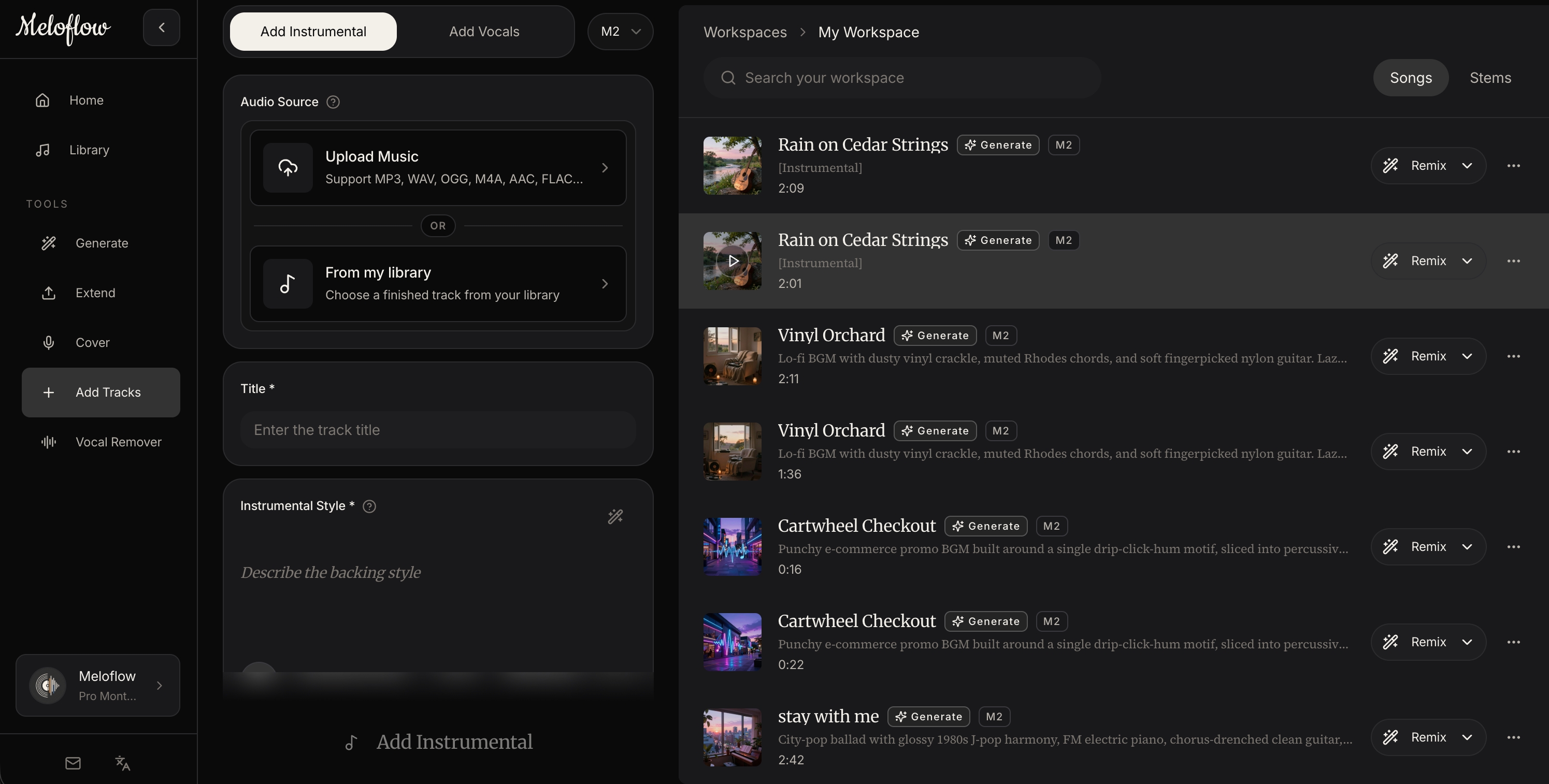
Meloflow is useful because a creator workflow rarely ends after the first generation.
Use Generate when:
- you need a fresh track from a written brief
- you are testing several moods
- you want lyrics-to-song or instrumental options
- you are exploring a new brand sound
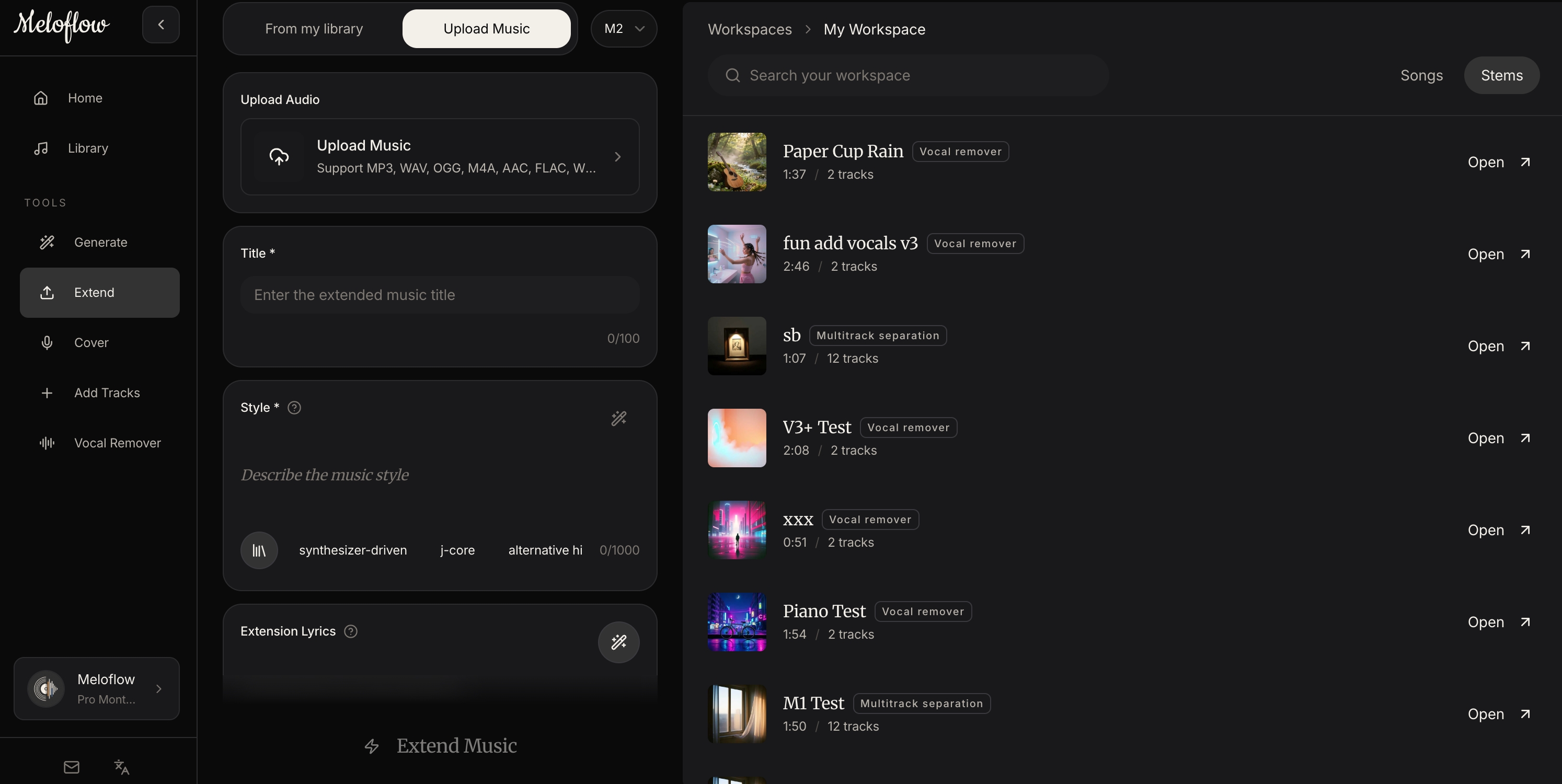
Use Upload & Extend when:
- a track works but is too short
- a loop needs a second section
- a demo needs a fuller ending
- you want to keep the original feel
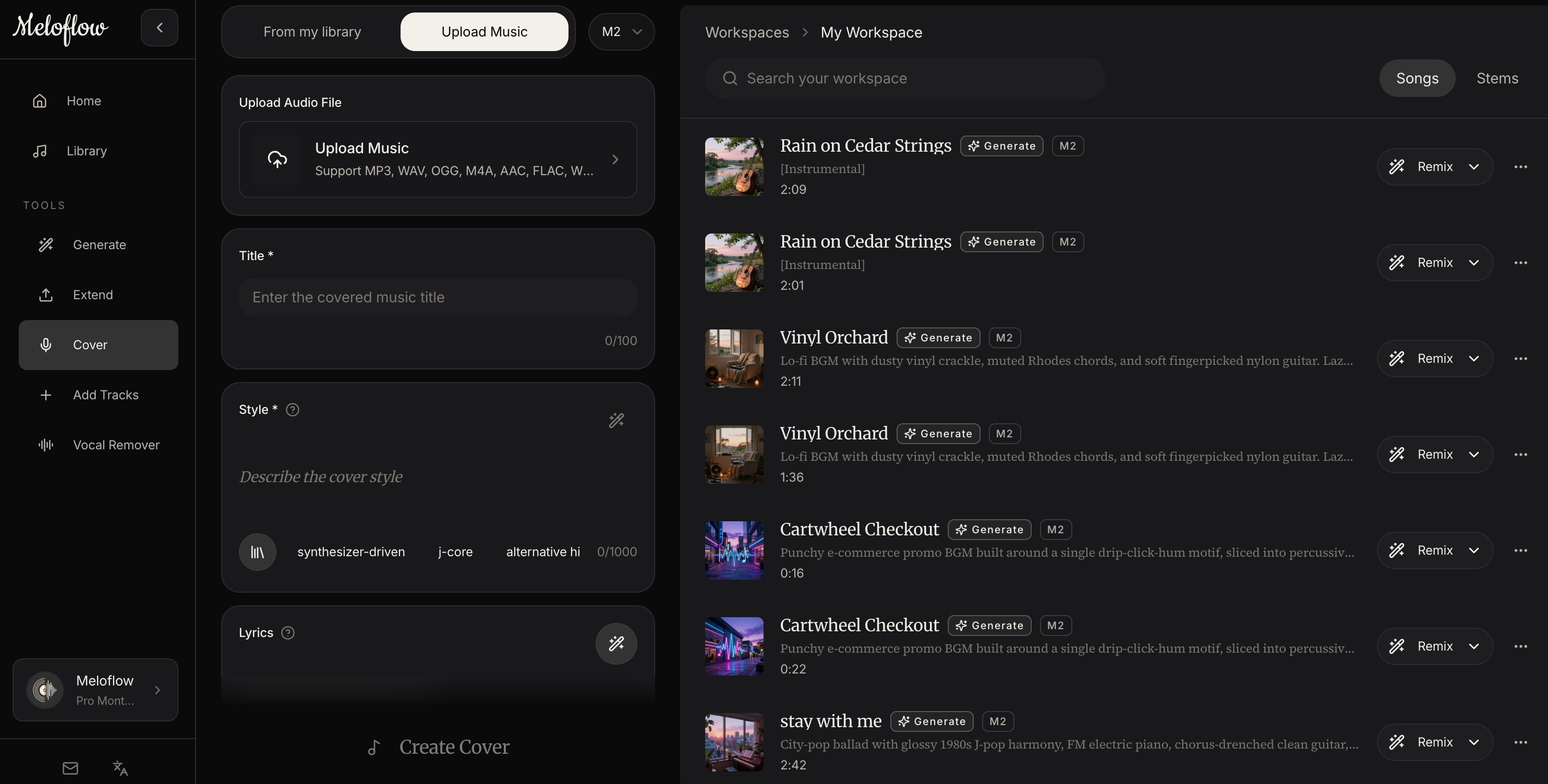
Use Upload & Cover when:
- you want an alternate vocal or style direction
- you are exploring a different genre treatment
- you want a new version without abandoning the original structure
For creators, the practical sequence is often:
- Generate a track from a use-case prompt.
- Save the version with the right mood.
- Extend it if the project needs more duration.
- Create a variation if the edit needs a different emotional color.
- Export and use it in the final project.
How To Judge Whether A Track Is Ready To Publish
Before using AI-generated music in a real project, check the track against the job it needs to do.
Ask these questions:
- Does it support the content instead of competing with it?
- Does the first section arrive quickly enough?
- Is the mood consistent with the video, podcast, or brand?
- Are there any distracting vocals, drops, or sudden changes?
- Does the track loop, extend, or end cleanly enough for the edit?
- Is the licensing clear for the way you plan to publish?
The best creator music often feels obvious once it is in context. It does not beg for attention. It makes the content feel more finished.
Example Meloflow Prompts
YouTube explainer background
Create royalty-free AI music for a YouTube explainer video.
The mood should be calm, clear, and quietly confident.
Use soft drums, warm piano, and subtle ambient texture.
Keep the arrangement steady so it works under voiceover.
Avoid vocals, sharp drops, or dramatic transitions.
Short-form product reveal
Create a short AI song for a product reveal video.
Make it bright, modern, and energetic from the first second.
Use punchy drums, a clean synth hook, and a quick build.
Avoid long intros and heavy cinematic tension.
Podcast intro
Create royalty-free intro music for a thoughtful creator podcast.
Make it warm, minimal, and recognizable.
Use a short melodic motif, soft electronic texture, and a clean ending.
Avoid vocals and busy percussion.
Meditation or wellness video
Create royalty-free background music for a meditation video.
Make it slow, spacious, and gentle.
Use soft pads, light piano, and a calm ambient atmosphere.
Avoid strong rhythm, sudden changes, or bright lead melodies.
Common Mistakes Creators Make
Starting With A Vague Prompt
“Make background music” is usually too broad.
Add context: platform, mood, energy, instruments, and what to avoid.
Choosing Music Before Testing It In The Edit
A track can sound good alone and still fail under narration or visuals.
Always test the music inside the actual project before deciding it is finished.
Regenerating Instead Of Extending
If a track already has the right feel, do not immediately throw it away because it is short.
Extend it first. You may keep more of the original identity and save time.
Overusing Vocals
Vocals can be powerful, but they often compete with speech, captions, and brand messages.
For background use, instrumental tracks are usually safer.
Final Thought
An AI music generator is most valuable when it helps creators make decisions faster.
The goal is not to replace taste. The goal is to give your taste more material to work with: a first track, a longer version, an alternate style, and a clean export that fits the project.
Meloflow is built for that practical middle ground. It lets you start from a prompt, shape the result, extend what works, and create royalty-free music that feels ready for real creator work.
Make it in Meloflow
Turn the idea from this article into a track workflow.
Create a track in MeloflowFAQ
What is an AI music generator for creators?
It is a tool that turns a creative brief or prompt into usable music for videos, podcasts, ads, games, or brand content. For creators, the most useful AI music generators also make licensing, variation, and editing workflows clear.
Can AI-generated music be used for YouTube videos?
Yes, if the platform gives you the right usage rights. Meloflow is designed for royalty-free creator workflows, so generated tracks can be used in published projects according to the product's licensing terms.
Should I generate a new track or extend an existing one?
Generate a new track when you are exploring a fresh mood or use case. Extend an existing track when the music already fits your project but needs more duration or a cleaner ending.
What makes a good prompt for AI music?
A good prompt names the use case, mood, energy level, instruments, and what to avoid. This gives the AI more context than a genre-only prompt like 'make lo-fi music'.