YouTube and short-form music
“A video topic, edit length, mood, and a few style references.
”
Text, lyrics, vocals
Create a complete AI-generated song from a text prompt, lyrics, or a rough idea. Meloflow helps you generate vocals, shape the style, and download royalty-free music for videos, podcasts, demos, games, and campaigns.
Creator use cases
Create royalty-free AI music for YouTube videos, TikTok, Reels, Shorts, product clips, and creator channels that need a track matched to the edit.
Turn lyrics into song drafts with vocals so writers can test hooks, melodies, sections, and emotional direction before a full production session.
Generate intro music, outro beds, stings, and recurring themes when a show needs a recognizable sound without stock-library repetition.
Use text to music AI to sketch menu loops, level moods, trailer beds, and early playtest audio before the final soundtrack is commissioned.
Create AI songs with vocals for campaign concepts, client pitches, social ads, and brand films where the mood must be heard quickly.
Build a library of generated tracks that can later be extended, covered, remixed, shared, or turned into video assets inside Meloflow.
“A video topic, edit length, mood, and a few style references.
”
“A verse, chorus, hook line, or rough lyric draft.
”
“Show theme, episode mood, host energy, and intro/outro length.
”
“Level mood, gameplay state, loop length, or trailer scene notes.
”
“Campaign concept, target audience, product promise, and emotional hook.
”
“A creator niche, recurring content style, and reusable musical palette.
”
Meloflow Generate is built for concrete creative jobs: a video needs a track, lyrics need a vocal demo, a show needs a sonic identity, or a campaign needs a song direction that can be heard today.
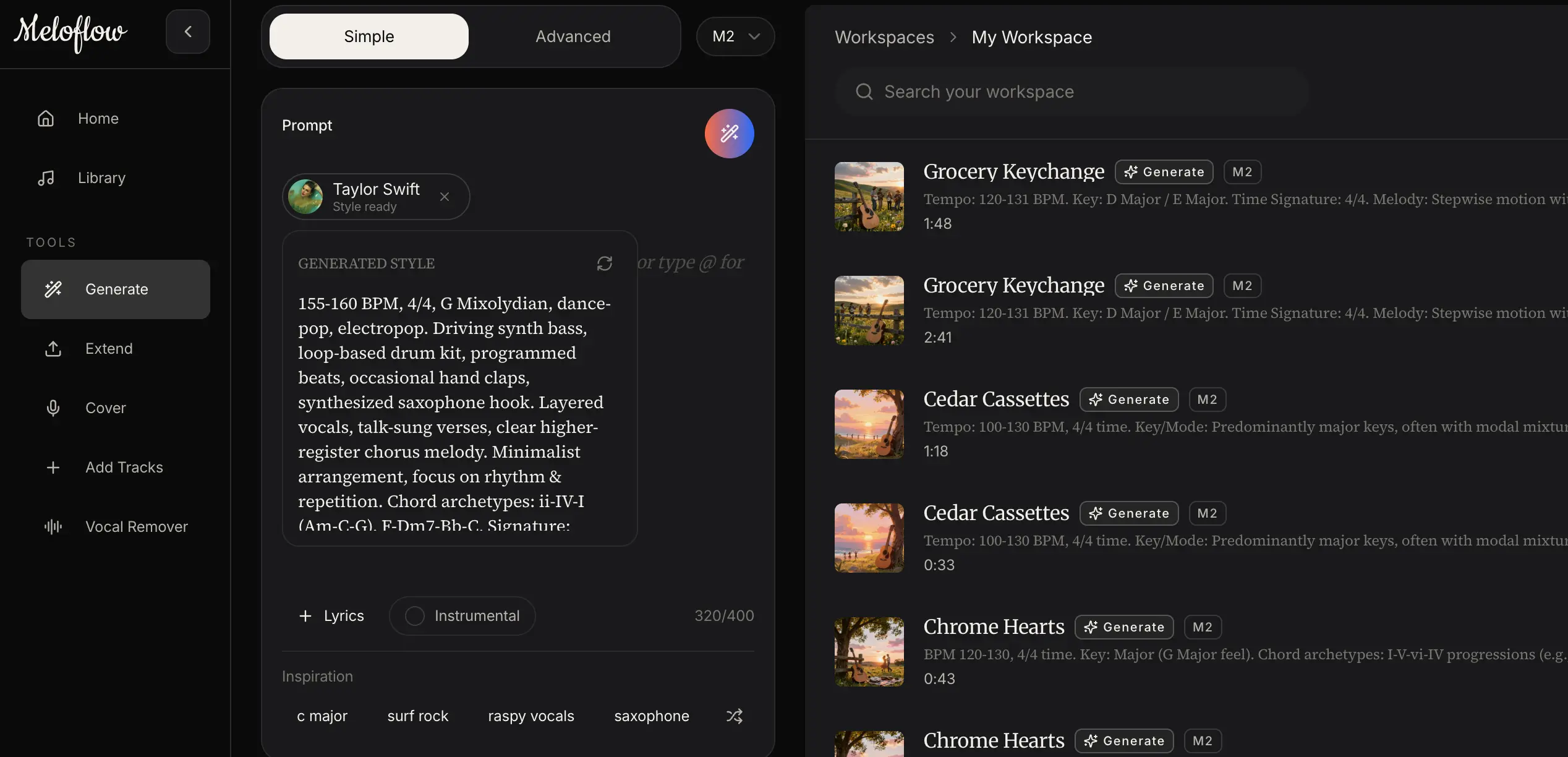
Generate a song for your projectMeloflow is an AI song generator with vocals for creators who need more than a short loop. Start from a text prompt, a lyric draft, or a simple mood, then guide the genre, instruments, vocal direction, and production detail until the result feels like a real song for videos, demos, podcasts, campaigns, or other public projects.
Describe the scene, mood, genre, tempo, instruments, and vocal direction in everyday language. Meloflow reads that prompt as a music brief and creates an original track you can refine, reuse, download, or develop into a larger arrangement. This text to music AI workflow is useful when you need a video bed, a podcast intro, a game loop, or a first songwriting sketch before opening a heavier production tool.
Paste your lyrics and turn them into a complete song with melody, harmony, arrangement, and vocals. Meloflow helps the music follow the emotional shape of the words, so a chorus can lift, a verse can stay intimate, and the vocal style can match the genre you describe. Use it for demos, topline ideas, social songs, or a fast first version before you rewrite and regenerate.
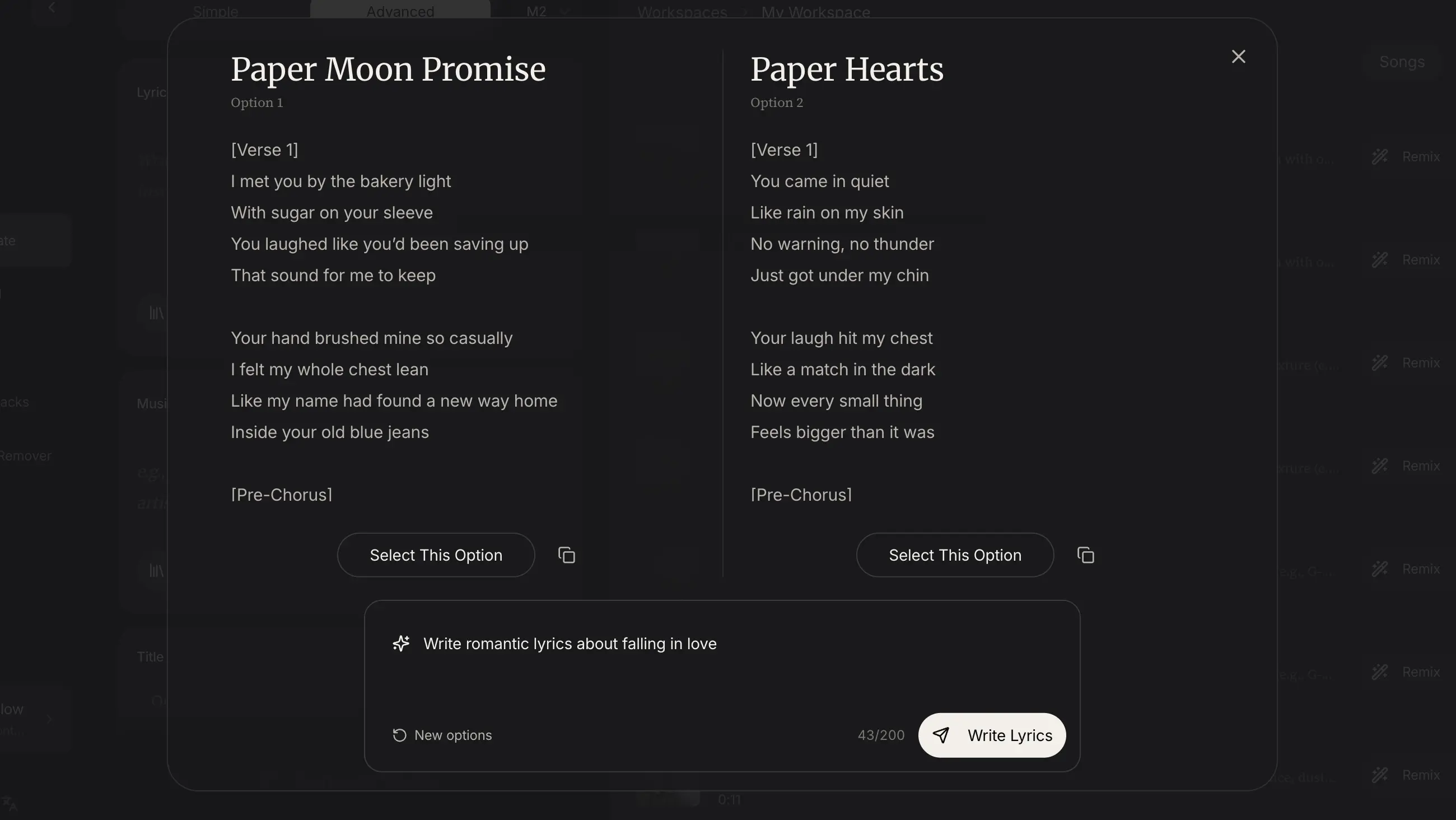
A useful AI song generator needs more than a blank prompt. In Meloflow, you can guide vocal feel, genre, instruments, mood, references, creativity, and audio consistency so each generation follows a clearer production brief. This helps text to music and lyrics to song workflows produce tracks that feel intentional instead of random.
Generate from text, turn lyrics into music, shape vocals, reuse style references, and keep finished tracks ready for creator workflows.
Turn prompts, moods, scenes, and genre notes into original music without needing production software first.
Create vocal-led tracks from lyrics or plain-language ideas, with room to guide the sound before generating.
Move from draft lyrics to melody, arrangement, and vocal delivery in one focused creation flow.
Generate first takes quickly, compare directions, and keep momentum while the idea is still alive.
Guide mood, instruments, energy, vocal character, and references so each track has a clearer brief.
Download and use generated music in videos, demos, podcasts, ads, and other commercial projects according to your plan.
Prompt to finished track
Start from a prompt or lyric draft, shape the song direction, keep the strongest take, then continue the track in the right Meloflow tool.
Use a plain-language prompt for text to music, paste lyrics for a vocal song, or begin with a rough creative brief for a video, demo, or campaign.
Choose the model, describe genre and instrumentation, add reference direction, and adjust advanced controls when the track needs a more specific sound.
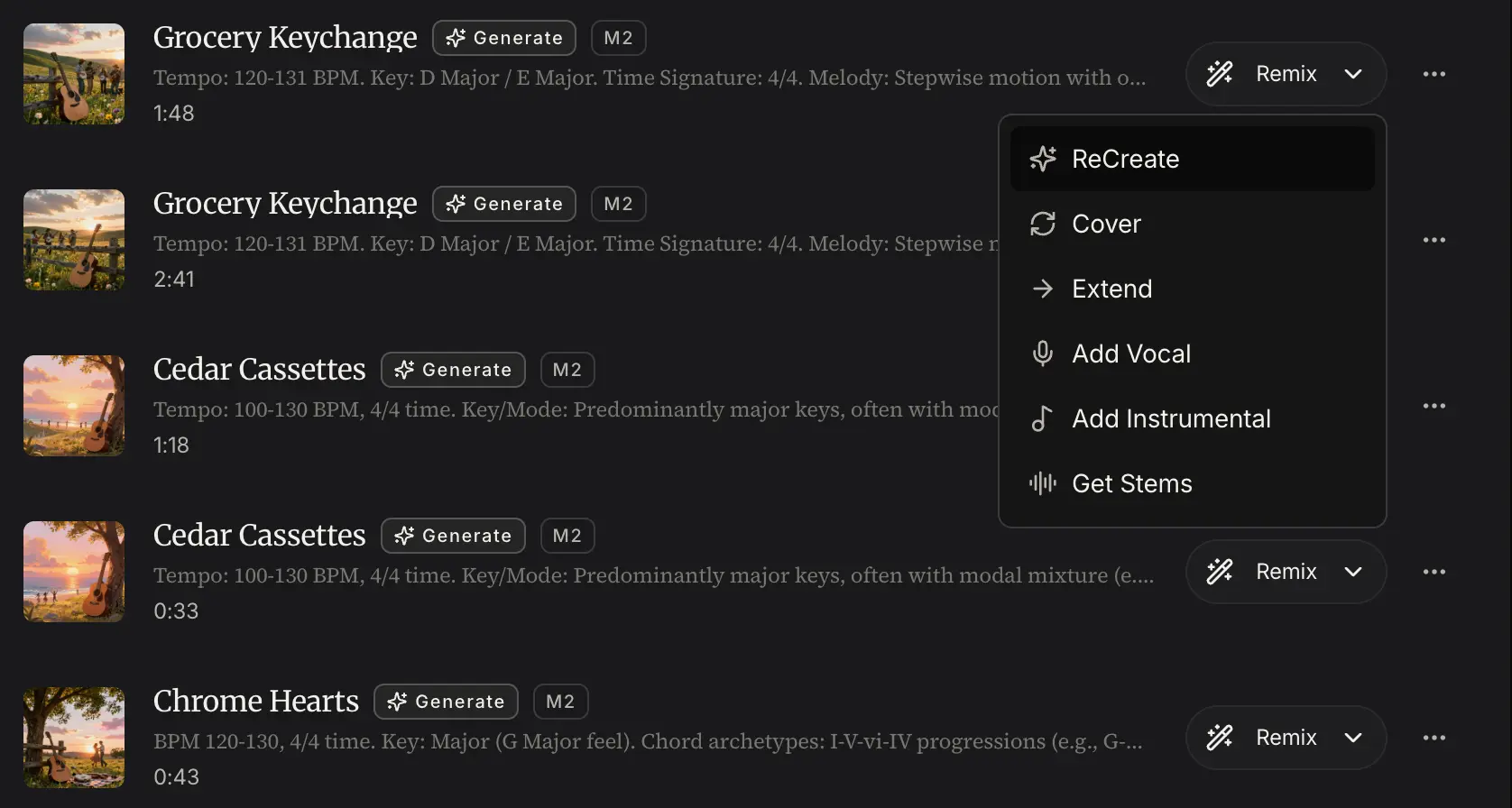
Create multiple directions, save the strongest version, and use the music list to review, replay, download, remix, or share the track.
Extend a strong idea, cover or transform a song, add vocals or instrumentals, or prepare the generated music for a future video workflow.
Related tools
A generated song can become a longer arrangement, a cover, a layered track, or a remix-ready stem project.

Make it longer
Make a good generated track longer without breaking its mood.
Extend
Change the voice
Upload a song and create a new vocal or style direction.
Cover
Layer the track
Layer new musical parts onto an existing idea.
Add Tracks
Prepare stems
Prepare stems for remixing, covering, or rebuilding a track.
Vocal RemoverRealistic workflows from teams that need usable music faster than a blank session allows.
Alex Rivera
YouTube editor
I use Meloflow when a video needs a track with a specific pace. I describe the cut, generate a few options, then keep the one that gives the edit a stronger opening without sounding like stock music.
Maya Chen
Independent songwriter
The lyrics to song flow is useful for rough demos. I can paste a chorus, test two vocal directions, and hear whether the hook actually works before spending a full evening arranging it.
Jon Bell
Podcast producer
For seasonal podcast intros, we need something short, memorable, and cleared for client use. Meloflow lets me brief the mood and generate polished options without searching through libraries.
Sofia Martinez
Creative strategist
For pitch decks and social concepts, I use the AI song generator with vocals to make the creative direction feel tangible. It helps clients react to a mood instead of imagining one.
David Kim
Game designer
When prototyping levels, I can generate text to music ideas for a scene and then extend the version that fits. It is faster than waiting until the audio pass is officially scheduled.
Renee Walker
Marketing producer
Meloflow is good for campaign scratch tracks. We can test lyrics, vocals, and energy early, then decide whether to regenerate, extend, or hand the direction to a composer.
Yes. Paste your lyrics into the generation flow, describe the genre or vocal direction, and Meloflow can turn the lyrics into a song with melody, arrangement, and vocals. This is the strongest fit for lyrics to song AI and AI music generator with lyrics searches.
Yes. Meloflow can generate vocal-led songs when your prompt or lyrics call for vocals. You can guide the vocal feel through genre, mood, structure, and style direction before generating.
Yes. Describe the music you want in plain language: mood, scene, genre, tempo, instruments, and use case. The AI music generator from text turns that prompt into an original track you can refine or download.
Meloflow is free to try with available generation access, and paid plans unlock more capacity and commercial-friendly workflows. Check the pricing page for the current credit and plan details.
Commercial usage depends on your plan and license terms. Meloflow is designed for creator projects such as videos, podcasts, demos, ads, games, and client work, so review the license details before publishing.
Text to music starts from a descriptive prompt and is best for background tracks, themes, and quick ideas. Lyrics to song starts from written words and is best when you want melody, vocals, and arrangement around a verse or chorus.
No. Meloflow is built so non-producers can describe an idea and get a usable song draft. Producers and songwriters can still use it as a fast ideation tool before editing, regenerating, or extending the result.
Yes. Save strong results, download them, share a listening page, remix the direction, or move the track into other Meloflow tools such as Extend, Cover, Add Tracks, and music-to-video workflows when available.

Start with a prompt
Open the generator, describe the track you need, and turn the strongest idea into royalty-free music you can keep shaping inside Meloflow.